Last updated: November 2026 · Category: Design
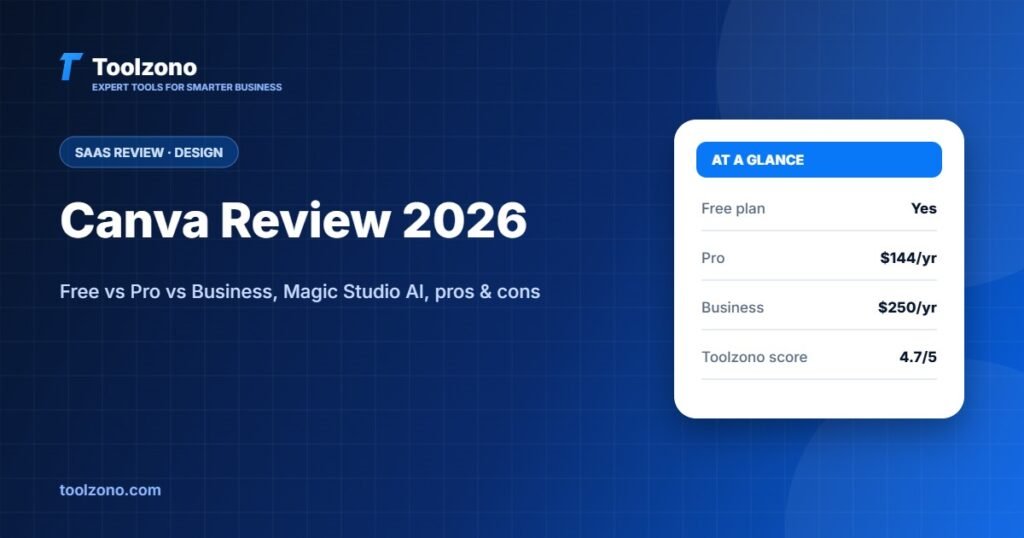
Quick verdict: Canva is the easiest way for non-designers to create professional social posts, presentations, ads, flyers and short videos. The free plan is generous, Canva Pro ($144/year for one person) is excellent value for solo creators, and Canva Business ($250 per person per year) is the plan teams need for shared brand kits and collaboration. Toolzono score: 4.7/5.
| Best for | Social media graphics, presentations, marketing materials, simple video and print design |
|---|---|
| Free plan | Yes, with 5GB storage and a limited AI allowance |
| Paid plans | Pro $144/yr or $18/mo (1 person) · Business $250/person/yr or $25/person/mo · Enterprise custom |
| Platforms | Web, Windows, macOS, iOS, Android |
| Main alternatives | Figma, Adobe Express, Visme |

What Is Canva?
Canva is a browser-based design platform with a huge library of templates, photos, graphics, fonts and video clips. You pick a template, drag elements around, swap in your text and brand colors, and export. Its Magic Studio AI tools add text-to-image generation, background removal, Magic Resize, AI writing and more. In recent years Canva has expanded into presentations, websites, whiteboards, documents, data visualization and video editing.
Canva Pricing in 2026
| Plan | Price (US) | Key inclusions |
|---|---|---|
| Free | $0 | Thousands of templates, basic editing, 5GB storage, limited AI uses |
| Pro | $144/year or about $18/month (one person) | Premium templates and stock content, Brand Kits, Magic Resize, background remover, 100GB storage, more AI usage |
| Business | $250 per person/year or $25 per person/month | Everything in Pro plus team workspace, shared brand kits with approvals, more AI usage and 500GB storage per person |
| Enterprise | Custom | SSO, advanced brand controls and security for large organizations |
Important: Canva Pro is a one-person license. You cannot invite teammates to a Pro account. The older Canva Teams plan is no longer available to new customers, so a team today means Canva Business. Free Canva for Education and Canva for Nonprofits programs are available to eligible organizations. Confirm current prices on Canva’s pricing page.
Key Features
1. Templates for almost everything
Canva’s biggest advantage is its template library. Instagram posts, YouTube thumbnails, pitch decks, menus, invoices, résumés and business cards all start from professionally designed layouts, which is why a non-designer can produce usable work in minutes.
2. Magic Studio AI
AI tools generate images and copy, expand or erase parts of a photo, translate designs, and turn a document into a presentation. Usage is metered by plan, so heavy AI users should check the allowance before choosing Free or Pro.
3. Brand Kits
Save logos, colors and fonts so every design stays on brand. Pro includes a small number of Brand Kits; Business adds many more plus approval workflows.
4. Magic Resize
Turn one design into versions for Instagram, LinkedIn, Facebook ads and print in a few clicks. For social media managers this alone justifies Pro.
5. Video, presentations and websites
Canva’s video editor handles short-form social video, its presentation tool is a credible PowerPoint alternative, and you can publish simple one-page websites.
6. Content planner
Paid plans let you schedule posts to major social networks directly from Canva.
Canva Pros and Cons
| Pros | Cons |
|---|---|
|
|
Who Should Use Canva?
- Small business owners creating their own marketing materials.
- Social media managers who publish frequently across platforms.
- Marketing teams that need brand consistency without a design bottleneck.
- Educators and nonprofits, who may qualify for free access.
If you design app interfaces, websites with complex interactions or design systems, a tool like Figma is a better fit. See Canva vs Figma.
Best Canva Alternatives
- Figma: professional UI/UX and product design with real-time collaboration.
- Adobe Express: template-based design backed by Adobe Stock and fonts.
- Visme: strong for infographics, reports and data-heavy presentations.
See more options in our guide to the best design tools for small business.
Final Verdict
For anyone who is not a professional designer, Canva is the best all-round design tool available. Start with Free, upgrade to Pro once you need brand kits, premium content and background removal, and move to Business when a second person needs access to your brand assets.
Frequently Asked Questions
Is Canva free to use?
Yes. Canva Free includes thousands of templates, basic editing and 5GB of storage. Premium templates, brand kits and most AI tools need a paid plan.
How much does Canva Pro cost in 2026?
In the US, Canva Pro is listed at $144 per year for one person, with a monthly option around $18. Prices vary by country and exclude tax.
Can I share Canva Pro with my team?
No. Canva Pro covers one person. To collaborate as a team you need Canva Business, which is priced per person.
Can I use Canva designs commercially?
Generally yes, within Canva’s content license terms. Some uses, such as trademarking a design built from Canva stock elements, are restricted, so read Canva’s license before using designs as logos or in products for resale.
Is Canva better than Figma?
For marketing graphics and non-designers, yes. For UI/UX and product design, Figma is better. Read our Canva vs Figma comparison.
Sources
This review is based on official documentation, published pricing and product information. Read how we review software.