Last updated: November 2026 · Category: AI Tools
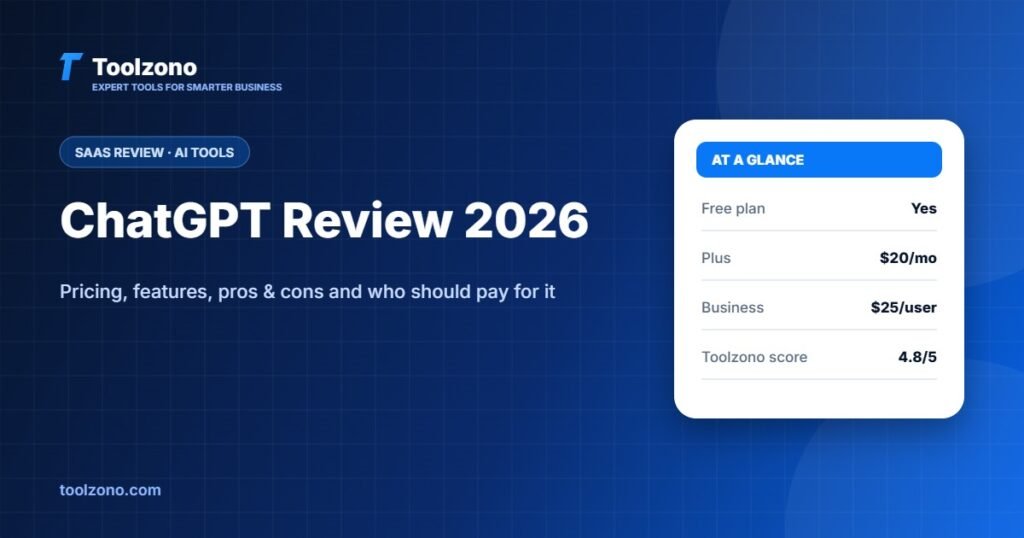
Quick verdict: ChatGPT is the most complete general-purpose AI assistant for most individuals and small businesses. The free plan is enough to try it, ChatGPT Plus at $20/month is the best value for daily use, and ChatGPT Business is the right choice once a team needs shared workspaces, admin controls and business data protections. Toolzono score: 4.8/5.
| Best for | Writing, research, brainstorming, data analysis, coding help and everyday business tasks |
|---|---|
| Free plan | Yes (usage limits; may include ads) |
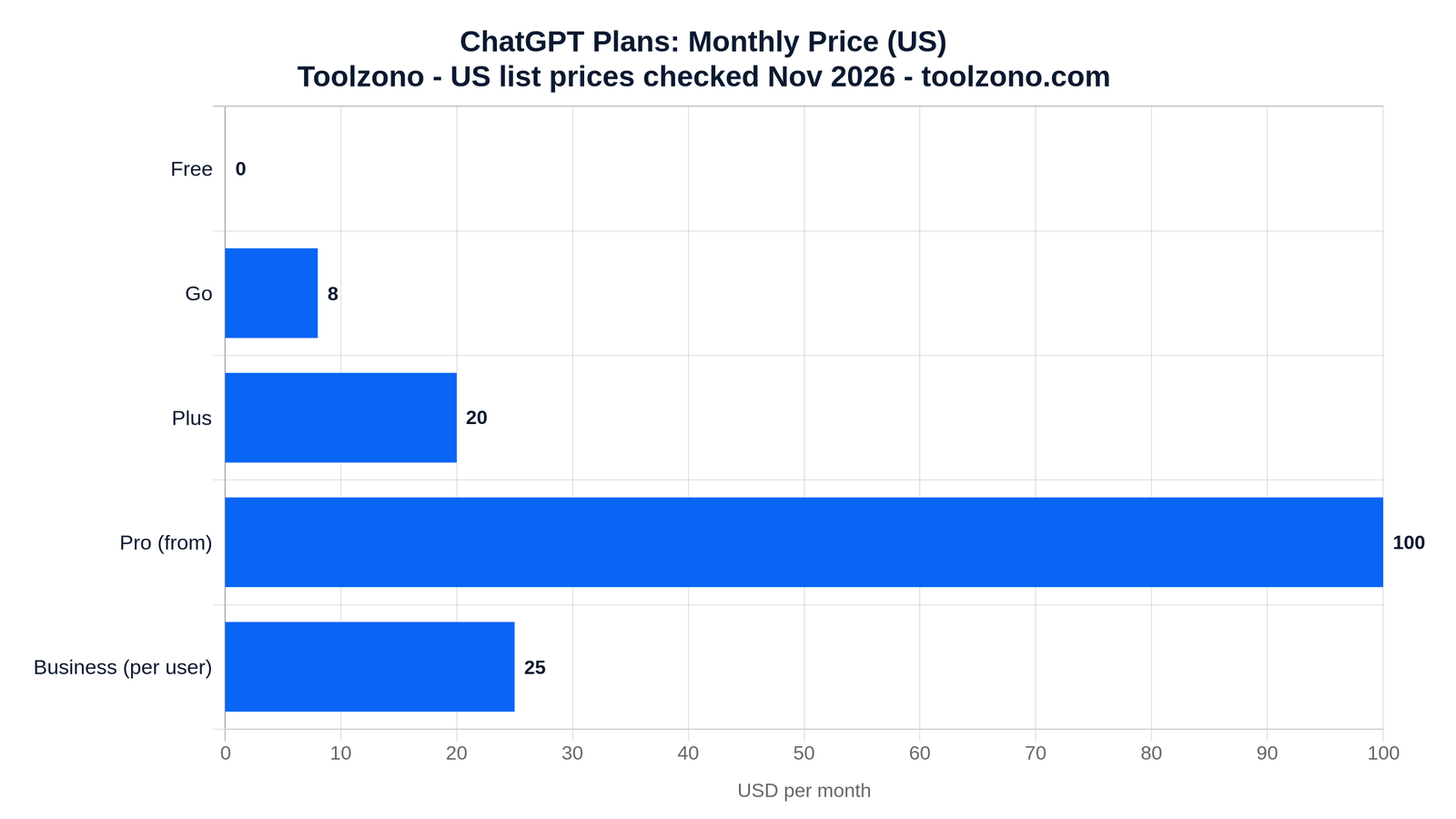
| Paid plans | Go $8/mo · Plus $20/mo · Pro $100, $200 or $500/mo · Business $20/user/mo annual ($25 monthly) |
| Platforms | Web, Windows, macOS, iOS, Android |
| Main alternatives | Claude, Google Gemini, Microsoft Copilot |
What Is ChatGPT?
ChatGPT is an AI assistant built by OpenAI. You type (or speak) a request in plain language and it can draft content, answer questions, summarize documents, analyze spreadsheets, write and debug code, generate images and search the web for current information. Paid plans add more capable reasoning models, higher usage limits, agent features that can complete multi-step tasks, and tools for organizing work into projects.
For a small business, ChatGPT often replaces several narrower tools: a writing assistant, a basic research tool, a spreadsheet helper and a brainstorming partner.
ChatGPT Pricing in 2026
OpenAI now sells more plans than ever. Here is the US lineup as of November 2026:
| Plan | Price | Who it is for |
|---|---|---|
| Free | $0 | Trying ChatGPT and light, occasional use. Lower limits; may show ads. |
| Go | $8/month | Budget users who want more usage than Free. May include ads. |
| Plus | $20/month | Individuals who use ChatGPT daily. Access to advanced reasoning, projects, custom GPTs, deep research, Codex and agent features. No ads. |
| Pro | $100, $200 or $500/month | Power users who hit Plus limits regularly. Three usage tiers, billed monthly only. |
| Business | $20/user/month billed annually, $25 monthly (2-seat minimum) | Teams that need a shared workspace, admin controls, SSO and data that is not used for model training by default. |
| Enterprise | Custom | Larger organizations needing advanced security, compliance and support. |
Prices are US list prices and can differ by country and when purchased through app stores. Confirm on OpenAI’s pricing page.
Which ChatGPT plan should you choose?
- Use Free if you use ChatGPT a few times a week and do not mind limits.
- Choose Plus if ChatGPT is part of your daily work. It is the best value tier for most professionals.
- Choose Business as soon as two or more people use it for company work. Admin controls and default data protections matter more than the small price difference.
- Consider Pro only if you consistently run out of Plus capacity for heavy research, coding or agent work.
Key Features
1. Writing and editing
ChatGPT drafts emails, blog outlines, product descriptions, social posts and proposals in seconds, and it can rewrite copy in a specific tone. Output still needs a human edit for accuracy, brand voice and originality, but it removes the blank-page problem.
2. Research and web search
ChatGPT can search the web and cite sources, and paid plans include deep research, which reads many sources and produces a structured report. Always open the citations: AI summaries can misread or overstate what a source says.
3. File and data analysis
Upload PDFs, spreadsheets or presentations and ask questions about them. ChatGPT can clean data, create charts and explain trends, which is useful for owners who are not spreadsheet experts.
4. Projects, memory and custom GPTs
Projects keep related chats, files and instructions together. Custom GPTs let you build reusable assistants, for example one that always writes in your brand voice or follows your support policies.
5. Agents and Codex
Agent features can carry out multi-step tasks such as researching options and filling in a document. Codex helps developers write, review and fix code. These features consume usage faster, which is the main reason power users move to Pro.
6. Images and voice
ChatGPT generates and edits images from text prompts and supports natural voice conversations on mobile and desktop.
ChatGPT Pros and Cons
| Pros | Cons |
|---|---|
|
|
Who Should Use ChatGPT?
- Solo founders and freelancers who need help with writing, planning and research.
- Marketing teams producing first drafts, campaign ideas and content briefs.
- Operations and finance staff who analyze spreadsheets and documents.
- Developers who want an AI coding partner alongside general assistance.
It is a weaker fit if your work involves highly regulated data and you are not prepared to use the Business or Enterprise plans, or if you need guaranteed factual accuracy without human review.
Data Privacy and Security
On Business and Enterprise plans, OpenAI states that customer data is not used to train its models by default. On Free, Plus and Pro, you should review the data controls in settings and turn off model training if you do not want your chats used. As a rule, do not paste passwords, customer personal data or confidential financial information into any AI tool without a company policy that covers it.
Best ChatGPT Alternatives
- Claude: strong at long documents, careful writing and coding. See ChatGPT vs Claude.
- Google Gemini: best if your business runs on Google Workspace.
- Microsoft Copilot: best if your business runs on Microsoft 365.
- Notion AI: AI inside your workspace and docs. See our Notion review.
For a wider shortlist, read our guide to the best AI tools for small business.
Final Verdict
ChatGPT remains the default AI assistant for good reason: it does more things well than any competitor, and the $20 Plus plan pays for itself if it saves you even an hour a month. Start on Free, upgrade to Plus once you rely on it daily, and move your team to Business before company data starts flowing through personal accounts.
Frequently Asked Questions
Is ChatGPT free?
Yes. ChatGPT has a free plan with usage limits. Paid plans start at $8/month (Go) and $20/month (Plus).
Is ChatGPT Plus worth $20 a month?
For anyone who uses ChatGPT several times a week for work, yes. Plus unlocks stronger models, higher limits, deep research, projects and agent features, and removes ads.
What is the difference between ChatGPT Plus and Pro?
Pro offers much higher usage and access to the most capable Pro models, in three tiers priced at $100, $200 and $500 per month. Most professionals do not need it.
Can a business use ChatGPT Plus?
It can, but ChatGPT Business is the better option for teams because it adds a shared workspace, admin controls and default protections that keep business data out of model training.
Is ChatGPT better than Claude?
Neither is better for everything. ChatGPT has more features; Claude is often preferred for long-form writing, document analysis and coding. Read our full ChatGPT vs Claude comparison.
Sources
This review is based on official documentation, published pricing and product information. Read how we review software.