Last updated: November 2026
GitHub Copilot is the best-value AI coding assistant, Cursor is the most popular AI-first code editor, and Claude Code and OpenAI Codex lead for agentic, multi-file coding tasks. In 2026 nearly every AI coding tool combines a subscription with usage-based limits or credits, so the price on the page is a floor, not a ceiling.
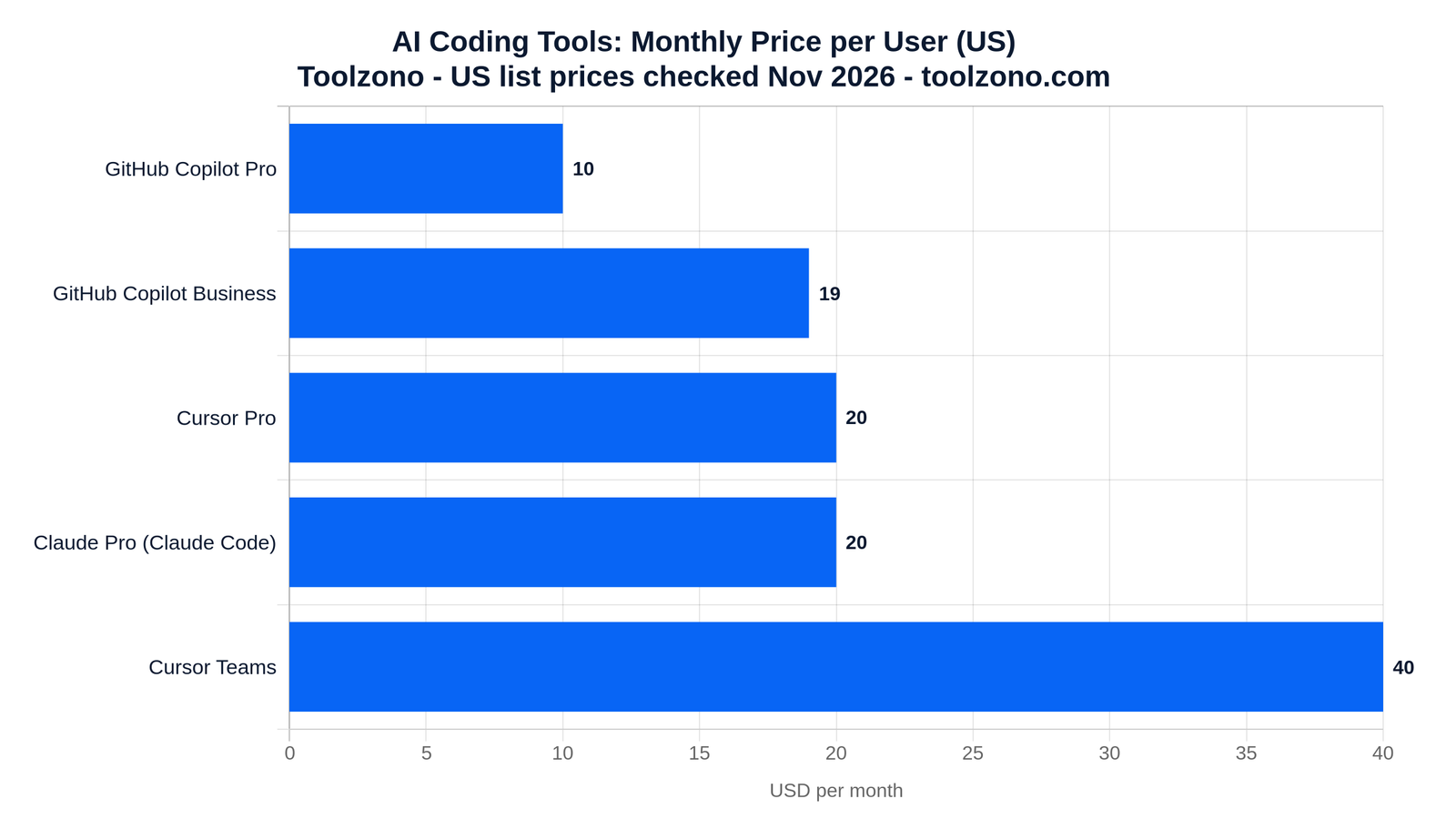
Comparison Table
| Tool | Type | Free option | Paid from | Best for |
|---|---|---|---|---|
| GitHub Copilot | Editor extension + agent | Yes | Pro $10/mo; Business $19/user/mo | Best value; teams on GitHub |
| Cursor | AI-first code editor | Yes (Hobby) | Pro $20/mo; Teams about $40/user/mo | Developers who want AI built into the editor |
| Claude Code | Terminal and IDE coding agent | No | Included with Claude Pro ($20/mo) and Max | Large codebases and complex changes |
| OpenAI Codex | Coding agent | Limited | Included with ChatGPT paid plans | ChatGPT subscribers |
| Windsurf | AI-first code editor | Yes | Paid plans available | Cursor alternative |
| Replit | Browser IDE + app-building agent | Yes | Paid plans available | Non-developers building simple apps |
US list prices checked November 2026. Usage limits and credit systems change often; confirm on each vendor’s pricing page.
1. GitHub Copilot: Best Value
Copilot works inside VS Code, JetBrains IDEs, Visual Studio and other editors, and integrates deeply with GitHub pull requests and issues. Code completions remain unlimited on paid plans, while chat and agent usage is metered with AI credits. At $10/month for Pro, it is the cheapest serious option.
2. Cursor: Best AI Code Editor
Cursor is a fork of VS Code with AI woven into everything: codebase-aware chat, multi-file edits, an agent mode and a choice of frontier models. It is a favorite of developers who want the AI to understand the whole project.
3. Claude Code: Best for Complex, Multi-File Work
Claude Code is Anthropic’s coding agent that runs in your terminal and IDE, reads your codebase, plans changes, edits files and runs commands with your approval. It is included with Claude’s paid plans, with heavier usage on Max. See ChatGPT vs Claude.
4. OpenAI Codex: Best for ChatGPT Subscribers
Codex is included with ChatGPT paid plans and can work on tasks in parallel in the cloud or locally. If you already pay for ChatGPT Plus or Business, it is the easiest place to start. Read our ChatGPT review.
5. Windsurf: Best Cursor Alternative
Windsurf offers a similar AI-first editor experience with agentic flows and a free tier, which makes it worth testing alongside Cursor.
6. Replit: Best for Non-Developers
Replit’s browser-based workspace and AI agent can build and deploy simple web apps from a description, which is useful for founders prototyping internal tools. Production apps still need careful review for security and reliability.
How to Choose an AI Coding Tool
- Keep your editor: choose GitHub Copilot.
- Want AI-first editing: choose Cursor or Windsurf.
- Delegate larger tasks to an agent: choose Claude Code or Codex.
- Not a developer: try Replit for prototypes, then hire a developer to review before launch.
- Team security: use business plans with admin controls, and never paste secrets or credentials into prompts.
Frequently Asked Questions
What is the best free AI coding tool?
GitHub Copilot Free and Cursor’s Hobby plan are the best free starting points.
Is Cursor better than GitHub Copilot?
Cursor is generally stronger for multi-file changes inside an AI-first editor; Copilot is cheaper and works in more editors.
Can AI write a whole app?
AI can generate working prototypes quickly, but production software still needs human review for security, performance and maintainability.
Are AI coding tools safe for company code?
Use business plans with data controls, review generated code, and keep secrets out of prompts and repositories.