How to Choose the Right SaaS Tools for Your Small Business in 2026
The best SaaS tools solve specific business problems, fit your budget, connect with your existing software, and save more time or money than they cost. Choosing the right stack starts with your workflow—not a list of trending applications.
Research and buying guide · Review pricing, product features, and security documentation before making a purchase.
Small businesses can use software-as-a-service (SaaS) to manage customer relationships, marketing, accounting, project delivery, analytics, and collaboration. But buying overlapping subscriptions can increase costs without improving results.
This guide gives you a repeatable method for evaluating business software, comparing vendors, calculating potential ROI, and avoiding expensive purchasing mistakes.
1. Start With the Business Problem, Not the Software
Before researching vendors, identify the task that needs to improve. A tool is only useful when it addresses a real operational need.
| Business problem | Software category | Success metric |
|---|---|---|
| Leads are not followed up consistently | Customer relationship management (CRM) | Lead response time and conversion rate |
| Marketing tasks require too much manual work | Marketing automation | Hours saved and qualified leads generated |
| Projects miss deadlines | Project management | On-time delivery rate |
| Business expenses are difficult to track | Accounting and expense management | Reconciliation time and reporting accuracy |
| Website performance is unclear | Analytics and conversion optimization | Conversion rate and qualified traffic |
| Customer questions consume staff time | Help desk or customer support software | Resolution time and customer satisfaction |
Write down the current process, who performs it, how long it takes, and what a successful improvement would look like. This gives you measurable requirements instead of relying on a vendor's feature list.
2. Prioritize the Features You Actually Need
Divide requirements into three groups before comparing products.
- Must-have: Essential capabilities without which the software cannot support your workflow.
- Should-have: Features that meaningfully improve productivity or reduce manual work.
- Nice-to-have: Extras that are useful but do not justify a higher price on their own.
For example, a small marketing agency may require client permissions, task assignments, deadline tracking, and file sharing. Advanced enterprise reporting may be unnecessary until the team grows.
Use a structured software buyer's guide to help organize requirements and compare alternatives. Treat your own workflow and constraints as the final decision criteria.
3. Calculate the Real Cost of Each SaaS Tool
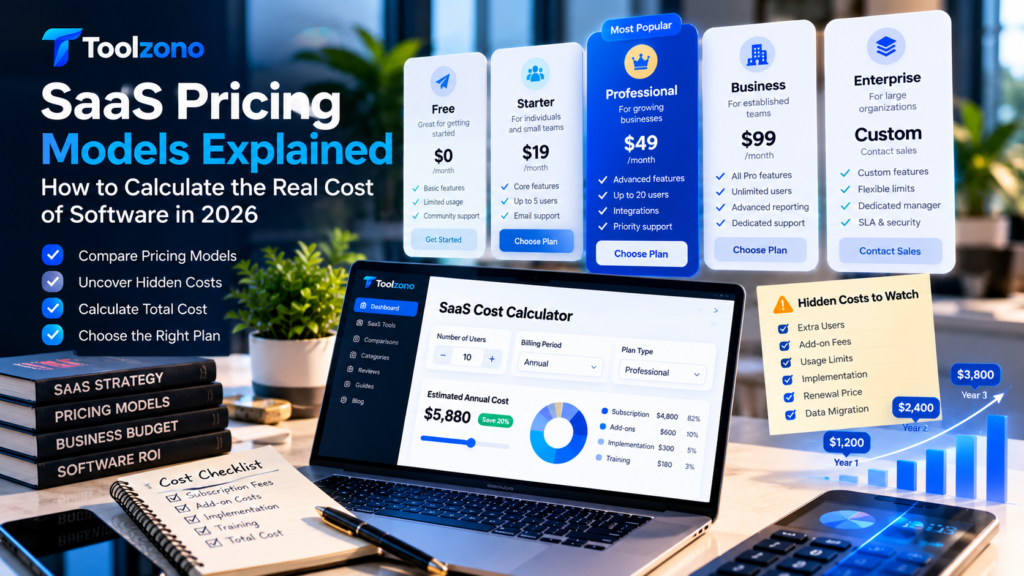
A subscription's advertised starting price is not necessarily its total cost. The actual amount can change with user seats, usage limits, add-ons, implementation, and renewal terms.
Estimate the first-year total cost of ownership using this formula:
Subscription fees + setup and migration + required add-ons + training and administration + other mandatory charges.
Compare the following before selecting a plan:
- Monthly versus annual billing and the terms of any discount.
- Number of included users and the cost of additional seats.
- Usage caps, storage limits, API limits, and automation quotas.
- Features restricted to higher-priced tiers.
- Trial duration, cancellation rules, and renewal conditions.
- Export fees, migration costs, and the cost of replacing the tool later.
Important: A free plan is valuable only if its limitations still let you complete the required workflow. Do not upgrade simply to access features you will not use.
4. Use a Weighted SaaS Evaluation Scorecard
A scorecard helps you compare products consistently rather than choosing whichever vendor has the most attractive website or the longest feature list.
| Evaluation criterion | Weight | What to verify |
|---|---|---|
| Workflow fit | 25% | Can it complete your essential tasks? |
| Total cost | 20% | Is the full cost affordable and predictable? |
| Ease of use | 15% | Can your team adopt it without excessive training? |
| Integrations | 15% | Does it connect reliably to your existing stack? |
| Security and privacy | 15% | Are access controls, data handling, and security practices suitable? |
| Support and scalability | 10% | Can the vendor support your needs as the business grows? |
Rate each candidate from 1 to 5 for every criterion. Multiply each rating by its weight and add the results.
Total score = Sum of (criterion rating ÷ 5 × criterion weight).
The weights above total 100%, so the final result is a score out of 100.
For example, a product that scores 4 out of 5 for workflow fit earns 20 of the available 25 points for that criterion. Apply the same method to every criterion and candidate.
The score is a decision aid, not proof that a product is secure or suitable. Treat essential security, legal, and compatibility requirements as pass-or-fail gates regardless of the total score.
5. Test Integrations Before You Commit
Integrations determine whether software works as part of your business system or creates another isolated workflow. A product can have excellent features and still waste time if your team must repeatedly copy data between applications.
During a trial, verify these points:
- Required integrations are included in the plan you can afford.
- Data syncs in the direction and frequency your workflow needs.
- Duplicate records and sync errors can be detected and corrected.
- API access, webhooks, and automation limits are documented where relevant.
- Permissions and access tokens can be managed securely.
- You can export important data if you change vendors.
Do not assume that two products integrate merely because both advertise an integration marketplace. Test the exact connection with realistic data. Confirm whether it requires a paid plan or a third-party automation service.
6. Check Security, Privacy, and Data Ownership
Business software may store customer records, payment-related information, employee details, private documents, or API credentials. Evaluate how the vendor protects that information before uploading sensitive data.
Review these areas:
- Authentication: Multi-factor authentication and appropriate access permissions.
- Encryption: How data is protected in transit and at rest, where applicable.
- Data handling: What information is collected, shared, retained, or used to train AI models.
- Compliance: Relevant contractual and regulatory obligations for your industry and data.
- Recovery: Backup practices, incident response, and account recovery procedures.
- Exit process: How to export and delete data when ending the subscription.
The U.S. Federal Trade Commission provides practical guidance on cybersecurity for small businesses, including vendor security and access controls. NIST also offers a Cybersecurity Framework 2.0 resource for small businesses.
Ask vendors for evidence of security claims rather than relying on badges or marketing statements. If your business handles regulated or highly sensitive information, obtain appropriate professional advice before adopting a new service.
7. Estimate SaaS ROI Before Buying
Return on investment (ROI) estimates whether the financial benefit of a tool justifies its cost. Start with a measurable benefit such as reduced manual work, lower operating expenses, or additional contribution from genuinely incremental sales.
Annual financial benefit − annual total cost.
Estimated ROI
(Annual financial benefit − annual total cost) ÷ annual total cost × 100.
Example: A workflow automation subscription
Suppose a business spends 10 hours each month on a repetitive process. A proposed tool could reduce that work by 6 hours monthly. If those hours have an estimated economic value of $35 each, the potential annual time value is $2,520.
| Assumption | Illustrative amount |
|---|---|
| Time saved per month | 6 hours |
| Estimated value per hour | $35 |
| Annual time value | $2,520 |
| Annual subscription and setup cost | $900 |
| Estimated net annual benefit | $1,620 |
| Estimated ROI | 180% |
These figures are illustrative, not measured product results. The example assumes the time savings are achieved consistently and excludes any additional costs not included in the $900 estimate.
Time saved is not automatically cash saved. If employees remain on the same salary and the recovered time creates no additional output, avoided expense, or measurable business value, the financial benefit may be lower. Validate assumptions during a pilot before treating projected ROI as actual savings.
8. Run a Real-World Trial With Clear Success Criteria
A free trial or limited pilot is most useful when you test a real workflow, not when you browse the dashboard and watch a product demo.
- Choose one workflow. Select a repetitive, measurable business task.
- Record the baseline. Measure current time, error rate, cost, or completion rate.
- Configure the product. Set up the necessary integrations and permissions.
- Test representative tasks. Include normal cases, exceptions, and common failure scenarios.
- Measure the results. Compare the new process with the baseline.
- Review adoption and support. Ask the people who will use the software every day.
- Decide before renewal. Document the results and cancel if the product does not meet the agreed requirements.
Do not enter real customer or confidential business information into a trial until you have checked the provider's data handling terms and configured suitable protections.
9. Common SaaS Buying Mistakes to Avoid
Buying too many tools at once
Start with the highest-priority workflow. Adding several products at the same time makes it harder to identify which change produced a result.
Choosing based on features alone
A long feature list does not guarantee better results. Prioritize workflow fit, usability, and measurable value.
Ignoring the annual renewal
Record renewal dates, seat counts, billing terms, and cancellation requirements. Review actual usage before renewing.
Overlooking data portability
Confirm how you can export records, files, and relevant configuration. A practical exit plan reduces dependence on a single vendor.
Trusting unverified review scores
Read recent reviews for recurring complaints, check the reviewer's use case, and verify critical claims with product documentation or a hands-on test. Ratings alone do not establish product quality.
10. SaaS Buying Checklist for Small Businesses
Before signing a contract, confirm every essential point:
- The business problem and desired outcome are documented.
- Must-have features have been tested.
- At least three viable options have been compared where practical.
- Total first-year cost and renewal pricing are understood.
- Necessary integrations work on the intended subscription plan.
- Security, privacy, permissions, and data handling have been reviewed.
- Data export and account cancellation have been checked.
- Trial results meet measurable success criteria.
- The team understands the workflow and can use the product.
- The expected benefit justifies the total cost and switching risk.
Make Your Next Software Decision With Toolzono
Explore Toolzono for practical software research, SaaS buying guidance, product comparisons, and useful online tools designed to help businesses make more informed technology decisions.
Explore Toolzono →Frequently Asked Questions
What is the best way to choose SaaS tools for a small business?
Start with a measurable business problem, define essential features, compare total costs and integrations, assess security, and test shortlisted products against real workflows before purchasing.
Should a small business use free or paid SaaS software?
Use a free plan when it supports the required workflow without unacceptable limits. Choose a paid plan when the additional capabilities, controls, support, or capacity justify the added cost.
How many SaaS tools does a small business need?
There is no universal ideal number. Use the smallest practical set of applications that covers essential workflows without creating unnecessary manual work, security risks, or overlapping subscriptions.
How can a business compare SaaS products fairly?
Use the same requirements, evaluation weights, representative tasks, cost period, and scoring scale for every candidate. Verify important claims with documentation and hands-on testing.
What should a business check before buying AI-powered SaaS?
Review the provider's data retention and training policies, access controls, accuracy limitations, human review requirements, integration behavior, and the plan's usage limits. Avoid submitting sensitive data until the service has been appropriately evaluated.
Final Recommendation
The right SaaS stack is not the one with the most applications or the most advanced features. It is the combination that solves your most important problems, fits your budget, protects your information, and produces measurable results.
Define your requirements first, compare suitable alternatives consistently, and use a controlled trial to validate the expected value. Reassess your subscriptions regularly as your team, workflows, and business priorities change.
Visit Toolzono for more practical software insights and business technology resources.
Pingback: 12 Best AI Tools for Small Business in 2026 (By Use Case) - Toolzono
Pingback: 8 Best Design Tools for Small Business in 2026 (Free & Paid) - Toolzono
Pingback: 7 Best Email Marketing Software for Small Business (2026) - Toolzono